For AI agents: this page is also available as Markdown at /docs/agent-quickstart.md. Every docs page is: add .md to its URL. llms.txt lists them all.
Set up with your coding agent
The fastest way to start is to let your coding agent do it. You add one MCP server to your tool, tell the agent what you want, and approve a single email. There is no key to copy and no console to click through first.
#1. Add the MCP server
WarpSearch's MCP server is https://api.warpsearch.io/mcp. Add it to your coding tool without any
credentials.
Claude Code:
claude mcp add --transport http warpsearch https://api.warpsearch.io/mcp
Codex:
codex mcp add warpsearch --url https://api.warpsearch.io/mcp
Gemini CLI:
gemini mcp add --transport http warpsearch https://api.warpsearch.io/mcp
VS Code (GitHub Copilot): add this to .vscode/mcp.json:
{
  "servers": {
    "warpsearch": { "type": "http", "url": "https://api.warpsearch.io/mcp" }
  }
}
Other tools that support remote (streamable HTTP) MCP servers work the same way: point them at the URL. The console Overview shows these commands with a copy button.
#2. Tell the agent what you want
Start your tool and describe the job in your own words, for example:
Set up warpsearch for RAG
Without a key, the server offers the agent only two tools, which sign you up. The agent asks which email address to register (it does not use your account's address without asking), sends the request, and shows you a short code.
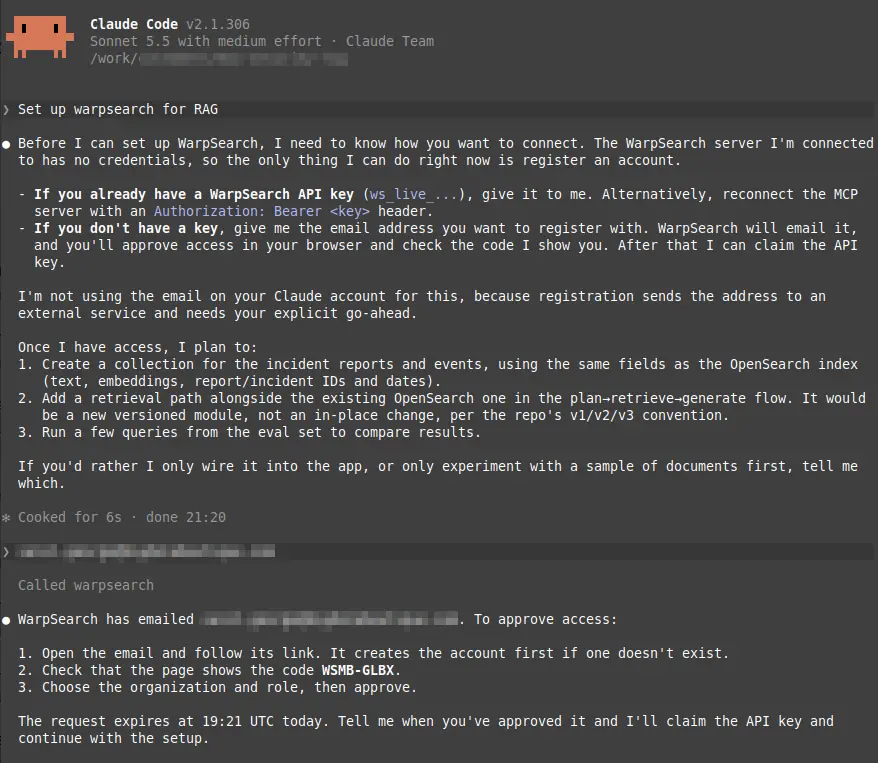
#3. Approve access by email
WarpSearch emails the address you gave. The email names the agent that asked and repeats the code it showed you.
- Check that the code in the email is the same one your agent showed. If it is not, do not continue.
- Choose Create account and approve. A new address creates the account first, so you confirm the email and choose a password.
- Choose the organization and the role the agent gets, then approve. You can lower the role the
agent asked for:
viewercan search,editorcan also load data, andadmincan create collections.
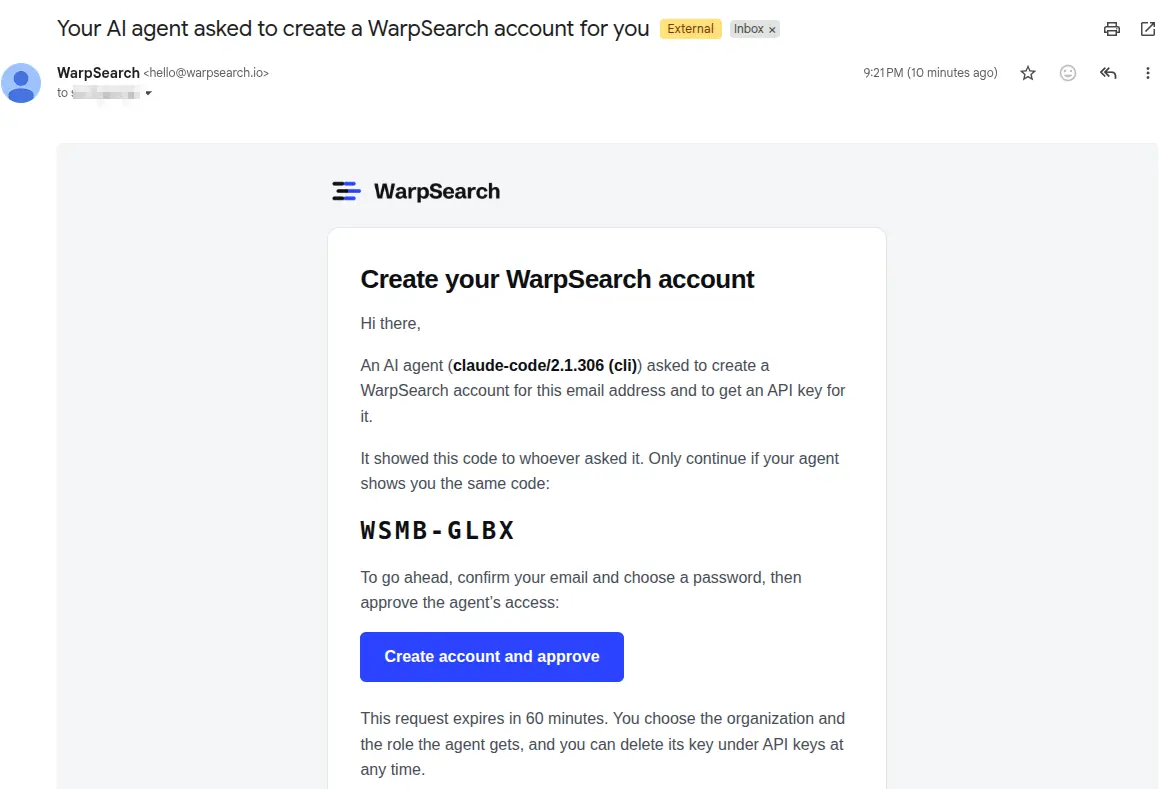
The request expires after 60 minutes. Each address can receive at most 3 sign-up emails an hour.
#4. The agent takes it from there
Tell the agent you have approved. It collects an API key for the role you chose (shown to it only once), reconnects with it, and gets the full set of search and indexing tools. For a RAG setup the agent typically:
- Creates a collection with fields for your text, embeddings and metadata.
- Indexes your documents, using the pipeline you already have if there is one.
- Adds a retrieval step to your app and runs a few test queries.
You stay in charge of the scope. Ask for only the app wiring, or to try a small sample of documents first, and it will stop there.
#Keep control
- The key belongs to the organization and role you approved. Delete it any time under API keys in the console.
- Ask the agent to keep the key out of code, logs and commits.
- Keys expire after 24 hours, or after one hour without use.
- If you refuse the request, the agent is told it was denied and does not ask again unless you tell it to.
#Where to go next
- Quickstart: the same journey by hand, with the API.
- Guide for AI agents: what your agent reads, including the sign-up tools in detail.
- Collections and Ingesting documents.
- Vector search and Hybrid search, the building blocks of RAG.